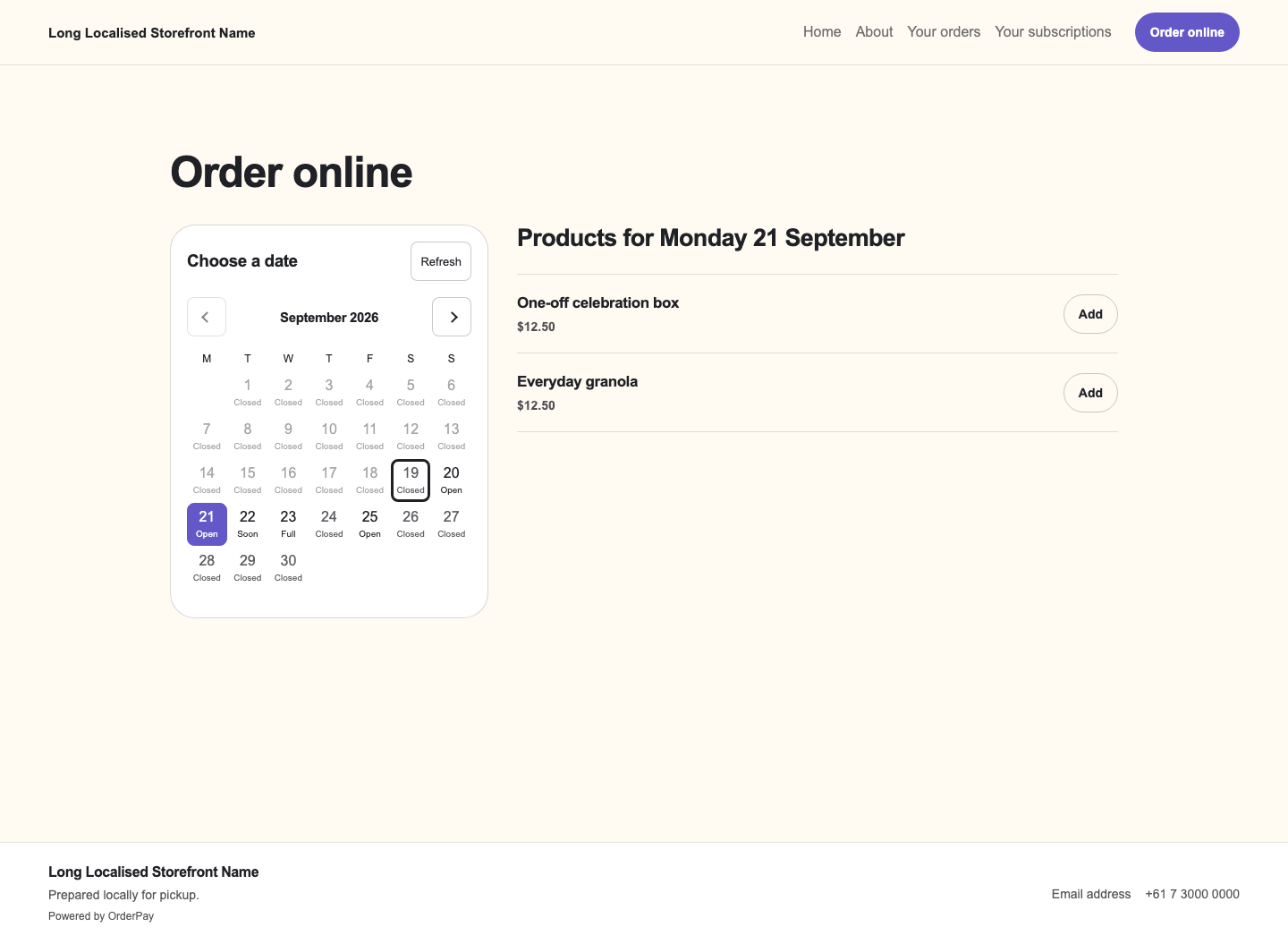
Choose a date, then see available products
The calendar shows available dates using your published menus and fulfilment settings. Products follow the selected date, so a one-off offer can appear alongside recurring menus.
Give customers a calendar beside the products they can order, with a mobile layout for smaller screens. They can choose another date and keep products already added to their basket.
The calendar shows available dates using your published menus and fulfilment settings. Products follow the selected date, so a one-off offer can appear alongside recurring menus.
Customers can combine products for different dates, pickup locations and delivery addresses. Each group shows its fulfilment details and applicable charges before one payment.
Share a subscription plan so customers can choose a recurring basket and save payment details. OrderPay manages the subscription, with payments through your connected Stripe or Square account.
Use the page builder for your logo, colours, product images and content. Responsive product pages and ordering layouts support customers on desktop and mobile.
Flex includes a managed OrderPay address. Pro also supports a verified custom domain. Eligible public storefronts can opt into search indexing; checkout and account screens stay private.
Offer a regular Friday bread menu and a one-off Monday release. Customers browse each available date, add their choices and review the separate collection or delivery groups together.
No. The selected date shows eligible products for its menus and fulfilment context. Ordering cutoffs, Store hours and capacity still apply before the order is accepted.
Customers can manage supported future selections, skips, pauses and cancellation through their customer access. The plan's terms and deadlines determine when changes take effect.